Unit Testing Plugin
Click the
 (double check)
icon from icon bar to move to the
(double check)
icon from icon bar to move to the Solidity Unit Testing plugin.
If you haven’t used this plugin before and are not seeing double check icon, you have to activate it from Remix plugin manager.
Go to the plugin manager by clicking the  (plug) icon and activate
 Solidity Unit Testing plugin.

Now double check icon will appear on the left side icon bar. Clicking on icon will load the plugin in the side panel.
Alternatively, just select Solidity environment from Remix IDE Home tab. This will activate Solidity Unit Testing plugin along with Solidity Compiler, Deploy & Run Transactions & Solidity Static Analysis plugins.
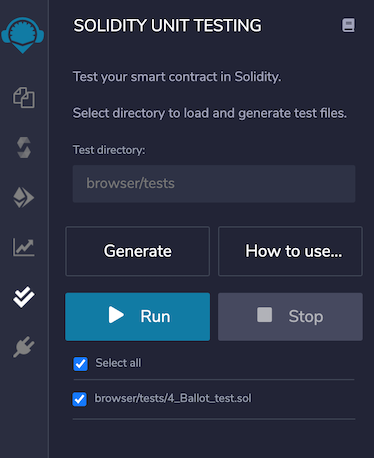
After successful loading, plugin looks like this:
Test directory
Plugin asks you to provide a directory which will be your workspace only for this plugin. To select directory, as soon as you add / to the path, it shows the possible options.

Once selected, this directory will be used to load test files and to store newly generated test files.
Default test directory is browser/tests.
Generate
Select a solidity file which you want to test and click on the button Generate. It will generate a test file dedicated to selected file in the test directory.
If no file is selected, it will still create a file with generic name as newFile_test.sol.
This file contains sufficient information to give better understanding about developing tests for a contract.
Generic file looks as:
pragma solidity >=0.4.22 <0.8.0;
import "remix_tests.sol"; // this import is automatically injected by Remix.
import "remix_accounts.sol";
// Import here the file to test.

// File name has to end with '_test.sol', this file can contain more than one testSuite contracts
contract testSuite {

    /// 'beforeAll' runs before all other tests
    /// More special functions are: 'beforeEach', 'beforeAll', 'afterEach' & 'afterAll'
    function beforeAll() public {
        // Here should instantiate tested contract
        Assert.equal(uint(1), uint(1), "1 should be equal to 1");
    }

    function checkSuccess() public {
        // Use 'Assert' to test the contract,
        // See documentation: https://remix-ide.readthedocs.io/en/latest/assert_library.html
        Assert.equal(uint(2), uint(2), "2 should be equal to 2");
        Assert.notEqual(uint(2), uint(3), "2 should not be equal to 3");
    }

    function checkSuccess2() public pure returns (bool) {
        // Use the return value (true or false) to test the contract
        return true;
    }

    function checkFailure() public {
        Assert.equal(uint(1), uint(2), "1 is not equal to 2");
    }

    /// Custom Transaction Context
    /// See more: https://remix-ide.readthedocs.io/en/latest/unittesting.html#customization
    /// #sender: account-1
    /// #value: 100
    function checkSenderAndValue() public payable {
        // account index varies 0-9, value is in wei
        Assert.equal(msg.sender, TestsAccounts.getAccount(1), "Invalid sender");
        Assert.equal(msg.value, 100, "Invalid value");
    }
}
Write Tests
Write sufficient unit tests to ensure that your contract works as expected under different scenarios.
Remix injects a built-in assert library which can be used for testing. You can visit the library documentation here.
Apart from this, Remix allows usage of some special functions in the test file to make testing more structural. They are as:
beforeEach()- Runs before each testbeforeAll()- Runs before all testsafterEach()- Runs after each testafterAll()- Runs after all tests
To get started, see this simple example.
Run
Once you are done with writing tests, select the file(s) and click on Run to execute the tests. The execution will run in a separate environment. After completing the execution of one file, a test summary will be shown as below:
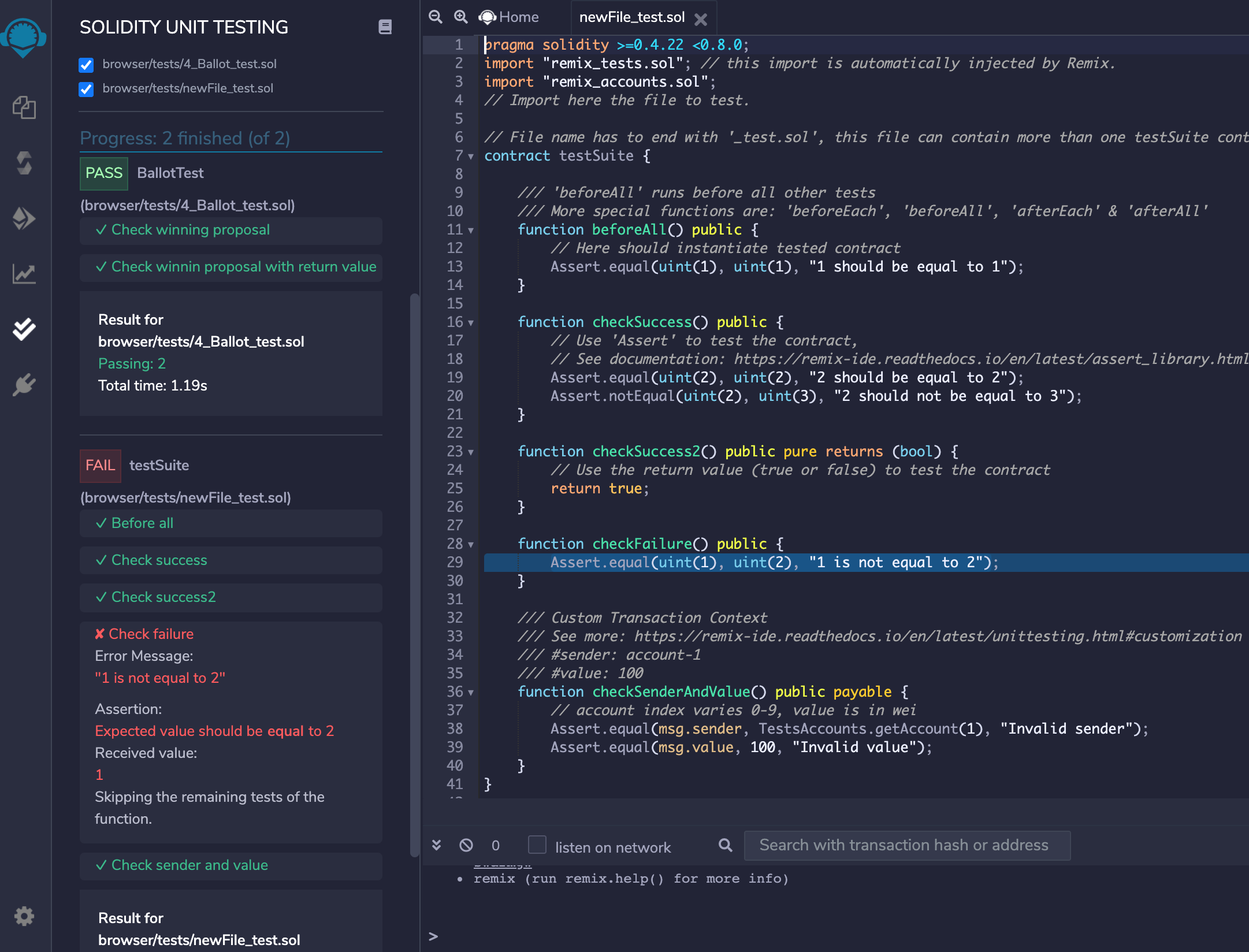
For failed tests, there will be more assertion details to analyze the issue. Clicking on failed test will highlight the relevant line of code in the editor.
Stop
If you have selected multiple files to run the tests and want to stop the execution, click on Stop button. It will stop execution after running the tests for current file.
Customization
Remix facilitates users with various types of customizations to test a contract properly.
1. Custom Compiler Context
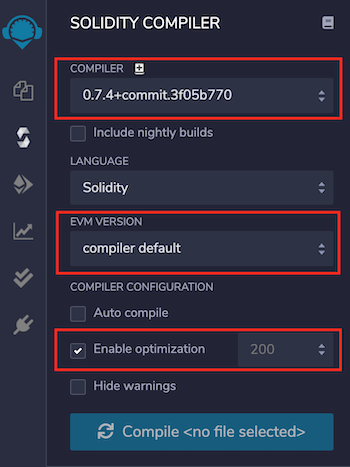
Solidity Unit Testing refers to the Solidity Compiler plugin for compiler configurations. Configure Compiler, EVM Version, Enable Optimization & runs in the Solidity Compiler plugin and this will be used in the Solidity Unit Testing plugin for contract compilation before running unit tests.
2. Custom Transaction Context
For interacting with a contract’s method, the prime parameters of a transaction are from address, value & gas. Typically, a method’s behaviour is tested with different values of these parameters.
One can input custom values for msg.sender & msg.value of transaction using NatSpec comments, like:
/// #sender: account-0
/// #value: 10
function checkSenderIs0AndValueis10 () public payable {
    Assert.equal(msg.sender, TestsAccounts.getAccount(0), "wrong sender in checkSenderIs0AndValueis10");
    Assert.equal(msg.value, 10, "wrong value in checkSenderIs0AndValueis10");
}
Instructions to use:
Parameters must be defined in the method’s NatSpec
Each parameter key should be prefixed with a hash (#) and end with a colon following a space (: ) like
#sender:&#value:For now, customization is only available for parameters
sender&valueSender is the
fromaddress of a transaction which is accessed usingmsg.senderinside a contract method. It should be defined in a fixed format as ‘account-<account_index>’<account_index>varies from0-2before remix-ide release v0.10.0 and0-9afterwardsremix_accounts.solmust be imported in your test file to use customsenderValue is
valuesent along with a transaction inweiwhich is accessed usingmsg.valueinside a contract method. It should be a number.
Regarding gas, Remix estimates the required gas for each transaction internally. Still if a contract deployment fails with Out-of-Gas error, it tries to redeploy it by doubling the gas. Deployment failing with double gas will show error: contract deployment failed after trying twice: The contract code couldn't be stored, please check your gas limit
Various test examples can be seen in examples section.
Points to remember
A test contract cannot have a method with parameters. Having one such method will show error:
Method 'methodname' can not have parameters inside a test contractNumber of test accounts are
3before remix-ide release v0.10.0 and10afterwardsWhile a test file which imports
remix_accounts.solmight not compile successfully withSolidity Compilerplugin, do not worry, this will have no bearing on its success withSolidity Unit Testingplugin.